How to redact a PDF without Adobe Acrobat Pro
In Adobe's own plan comparison, "Redact sensitive information" is a feature of Acrobat Pro and Acrobat Studio. Acrobat Standard and the free Acrobat Reader don't have it (Adobe plans). To black out a few details you don't need a subscription. You do need a tool that removes the text, not one that covers it.
Sumi is our tool. Everything said here about other software comes from the maker's own website, checked on 30 October 2026, with a link to the page.
What Acrobat Reader can and cannot do
Reader lets you add comments, highlights, sticky notes and drawings (Adobe). A black rectangle added this way sits on top of the page: the text underneath is still in the file. Anyone can select it, copy it, or delete the rectangle. Most redaction leaks happen exactly like this. If you have already sent a PDF blacked out this way, check it to see what is still readable.
What the Acrobat Pro trial costs
Adobe offers a 7-day free trial of Acrobat Pro, which includes Redact. On 30 October 2026, adobe.com showed US$19.99 a month on the annual plan billed monthly, or US$29.99 a month without commitment (Acrobat Pro); prices vary by country. Adobe says the trial "automatically converts to a paid plan" when it ends, and the annual plan has a cancellation fee after 14 days (Adobe free trial). Its page of free online tools has no Redact tool (Acrobat online).
Free ways to redact without Acrobat
- In your browser, without uploading: Sumi. Works on Windows, Mac, Linux, phones and tablets. It finds account numbers, IBANs, phone numbers, emails and other personal data for you, reads scans, and rebuilds every page as an image so nothing is left under the black. Free for documents up to 10 pages; Pro removes the limit.
- On a Mac: Preview. The Markup toolbar has a Redaction Selection tool. Apple says the redaction becomes permanent once you close the document, and that table of contents entries linking to redacted text are not removed (Apple).
- On Windows, offline: PDF24 Creator. A free Windows app that brings PDF24's tools offline, redaction included, and keeps files on your PC (PDF24 Creator). The online version is free too, but uploads the file to PDF24's servers, which delete it after one hour (PDF24).
- Before the PDF exists: LibreOffice. If you still have the Word or LibreOffice file, Tools, Redact, then the black redacted export saves a PDF in which the hidden parts are pixels (LibreOffice Help).
For the online services too, see the free PDF redaction tools compared.
Redact a PDF in your browser with Sumi
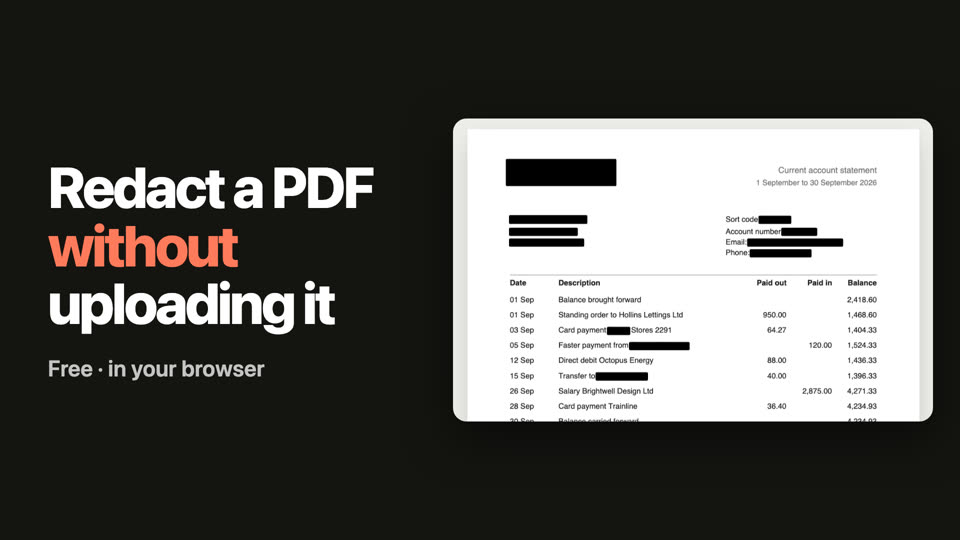 How to redact a PDF without uploading itWatch on YouTube · 1 min 21 s
- Open the app and drop your PDF. Scans and photos work too. The file is read in your browser, not uploaded.
- Review what Sumi found. Each item can be switched between Remove and Keep.
- Add anything else with "Redact a word or phrase everywhere", or use Draw box to cover an area by hand.
- Turn on Preview to see the final file.
- Click Redact & download. Every page becomes an image with the black boxes painted in, and the document's metadata is left out.
What you give up
Sumi's download has no text layer: the text can't be selected or searched afterwards, and the file is usually bigger than the original. That is the trade-off for having nothing left under the black. If the recipient needs searchable text, tell them it is a redacted image copy, or keep the redaction to the pages that need it.
Questions
Can I redact a PDF in Adobe Acrobat Reader?
No. Adobe lists redaction as a feature of Acrobat Pro and Acrobat Studio, not of Acrobat Standard or the free Reader. A box drawn with Reader's comment tools covers the text without removing it.
Is there a free Adobe redaction tool?
Not on 30 October 2026: Adobe's free online tools don't include Redact. The 7-day Acrobat Pro trial does, and it becomes a paid plan if you don't cancel.
How do I redact a PDF for free?
Use a tool that removes the text: Sumi in your browser, Preview on a Mac, or PDF24 on Windows or online. Then check the result with Sumi's free redaction checker.
Is it safe to redact a PDF in a browser?
It depends where the file goes. Sumi reads and redacts the file inside your browser tab and never uploads it. Once the page has loaded it works with Wi-Fi off, which you can test yourself.